Quick answer: Share Large Files Free is a Jumpshare alternative for large file transfers: up to 20 GB per transfer, no account or app, original quality, with download tracking, QR codes and links that last 1 day. Jumpshare is the better fit if you mainly record your screen and share quick videos and screenshots with a team.
What Jumpshare does well
Jumpshare is built around visual communication: record your screen or camera, capture screenshots and GIFs, and share them instantly as links, with in-browser viewing for many file types and viewer analytics on paid plans. It needs an account, and its free plan has a small storage allowance and file size limits, with more on paid plans. Check Jumpshare's own pricing page for current details.
Why you might choose us for big files
- Large files free: up to 20 GB per transfer, 1000 files or a folder.
- No account or app for you or your recipients.
- Nothing counts against storage: transfers expire after 1 day and are deleted.
- Free tracking: download alerts and stats per transfer, and Insights across transfers with a free account.
Side by side
| Question | Jumpshare (free) | Share Large Files Free |
|---|---|---|
| Main purpose | Screen recording, screenshots and sharing | Sending large files |
| Account to send | Yes | No |
| Free size limits | Small; check their plans | Up to 20 GB per transfer |
| Files kept | Until deleted, within storage | 1 day, extendable |
| Screen recording | Yes | No |
| Download tracking | Analytics on paid plans | Yes, free |
Details for Jumpshare reflect its public pages at the time of writing and may change.
Use both
Many people record a quick walkthrough in a screen recorder and send the heavy source files separately. Record the explanation where you like, then send the full-resolution footage, project files or exports here, in original quality. Need a lighter copy of a recording for chat? The free video compressor works in your browser.
How to send a large file here
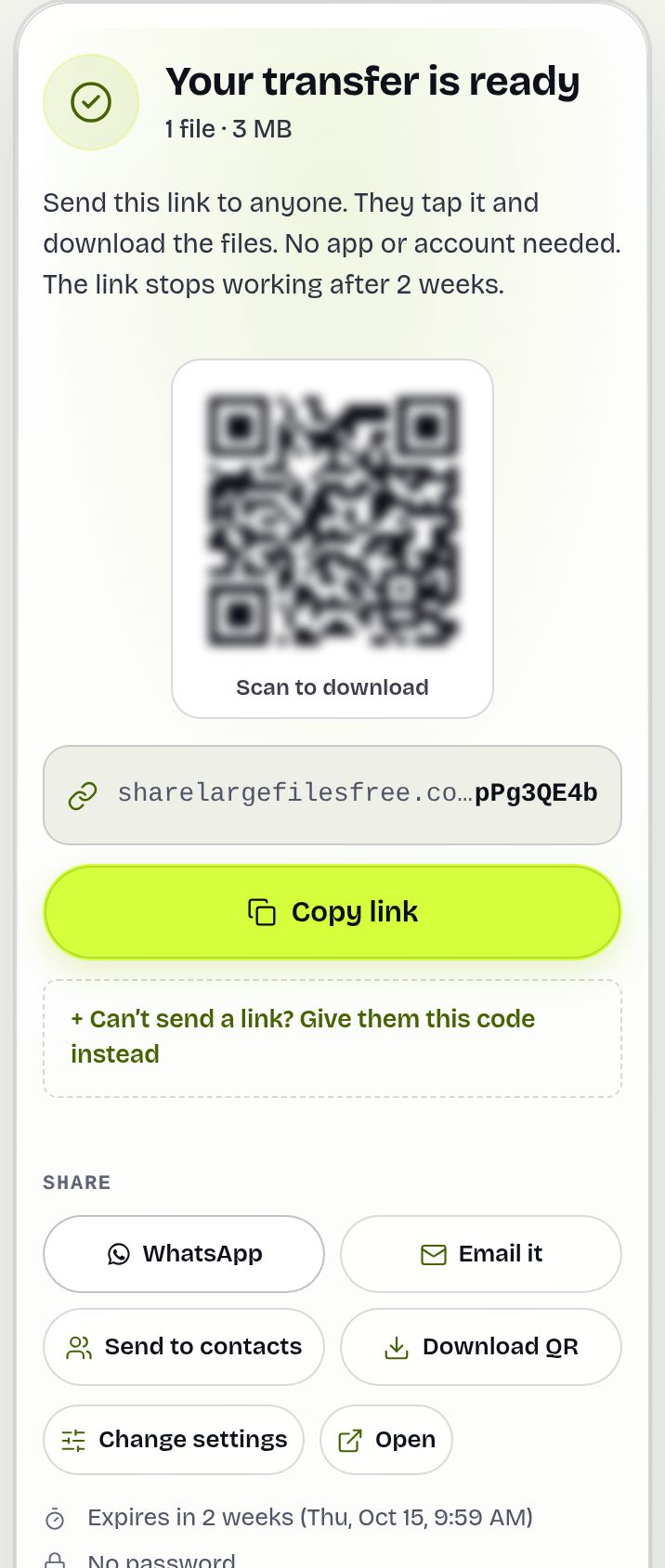
- Open the homepage and add files or a folder.
- Choose Get a link or Send by email.
- Share the link, QR code or download code.
Share Large Files Free is independent and is not affiliated with, endorsed by or sponsored by Jumpshare. Jumpshare is a trademark of its owner.
Frequently asked questions
Is this a free alternative to Jumpshare?
For sending large files, yes: up to 20 GB per transfer free, with no account. It does not record your screen.
Do I need an account?
No. Neither you nor your recipients need one. A free account is optional, for keeping transfers in one place and seeing Insights.
Can I see when my file is downloaded?
Yes. Tick "Email me when it's downloaded", and see opens and downloads on your Transfers page.
Are my videos compressed?
No. Files are delivered exactly as uploaded.
Are you affiliated with Jumpshare?
No. Share Large Files Free is an independent service.
Ready to send?
Drop your files, get a link, done. Free up to 20 GB — no account needed.
Send files free